Get editor diagnostics (LSP)
dddlint ships a Language Server that publishes diagnostics as you work and offers a one-click rename from an alias to its canonical term.
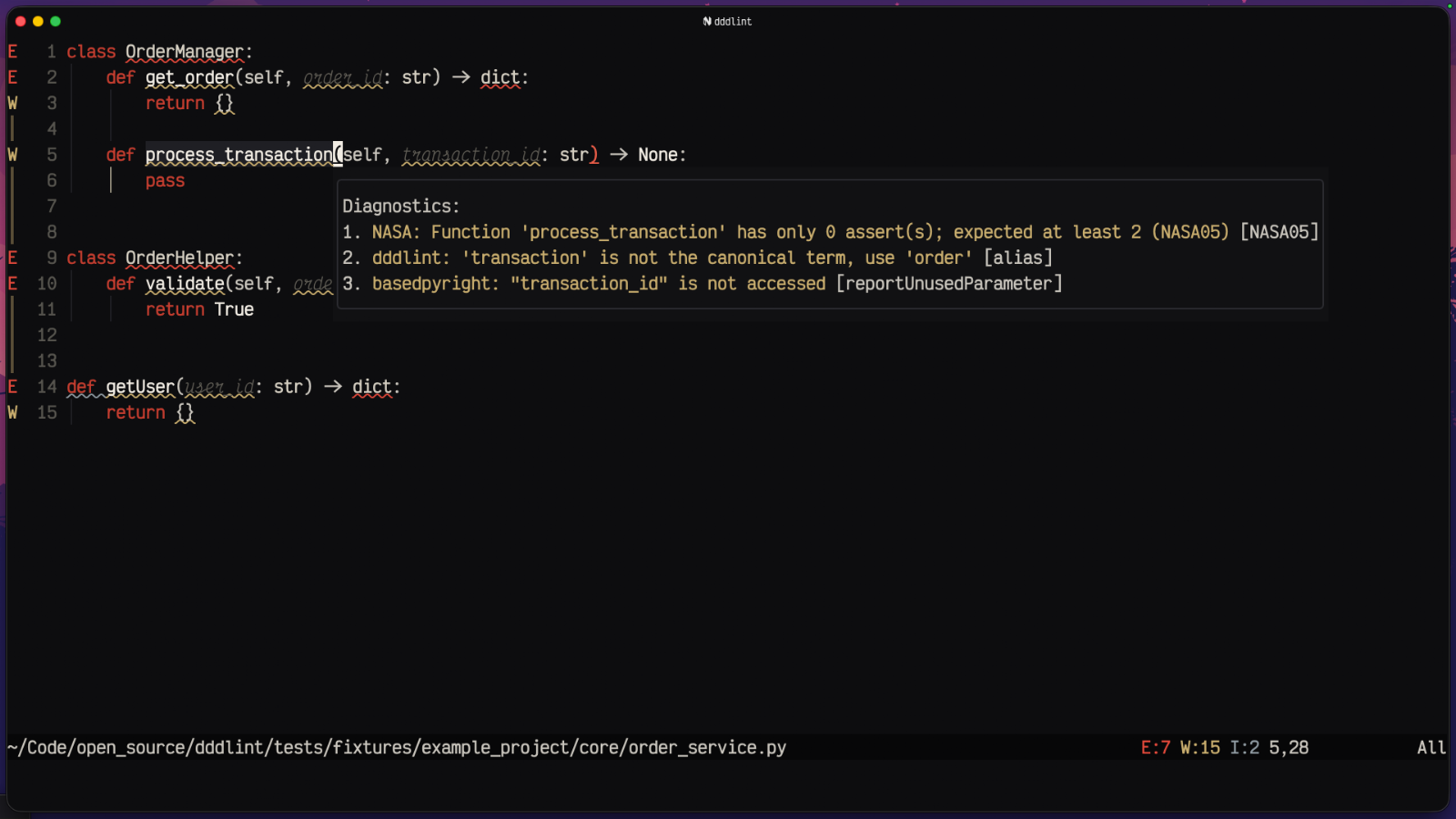
How the server behaves
- It publishes diagnostics on file open and file save.
- Each run scans the entire workspace, so cross-file drift is always caught, not just the open file.
- Alias findings carry one code action, Rename
everywhere, targeting the canonical term with case preserved (
ClientRepo→CustomerRepo,get_client→get_customer). It runs thedddlint.renamecommand, which your editor forwards to the language server that owns the file. dddlint reads names in 306 languages but understands none of them well enough to find call sites, so the rename belongs to the server that does, and dddlint never edits the name itself. Needs the glue below.
Wire up the rename
dddlint.rename is passed [uri, line, character, newName]. Handle it in your
client by asking the file's own language server to rename at that position.
Without the glue the command still runs, but dddlint can only tell you which
term to rename to.
vim.lsp.commands["dddlint.rename"] = function(command)
  local uri, line, character, new_name = unpack(command.arguments)
  vim.api.nvim_win_set_buf(0, vim.uri_to_bufnr(uri))
  vim.api.nvim_win_set_cursor(0, { line + 1, character })
  vim.lsp.buf.rename(new_name, {
    filter = function(client) return client.name ~= "dddlint" end,
  })
end
commands.registerCommand("dddlint.rename", async (uri, line, character, name) => {
  const edit = await commands.executeCommand<WorkspaceEdit>(
    "vscode.executeDocumentRenameProvider",
    Uri.parse(uri),
    new Position(line, character),
    name,
  );
  if (edit) await workspace.applyEdit(edit);
});
Editors with no hook for server commands (Helix today) get the message instead; their own rename keybinding on the flagged identifier does the same job. Where no server offers rename at all, the diagnostic and the canonical term are all dddlint gives you: renaming a definition without its call sites is a worse outcome than leaving the code alone.
The command to launch it over stdio is:
Neovim
Attach the server on any buffer inside a project that has a dddlint.yaml. No
filetype list needed, since it is language-agnostic.
vim.api.nvim_create_autocmd("BufReadPost", {
  callback = function(args)
    local root = vim.fs.root(args.buf, { "dddlint.yaml" })
    if root then
      vim.lsp.start({
        name = "dddlint",
        cmd = { "dddlint", "lsp" },
        root_dir = root,
      }, { bufnr = args.buf })
    end
  end,
})
VS Code
Use a generic LSP client extension and point it at dddlint lsp for all
filetypes:
{
  "lsp.servers": {
    "dddlint": {
      "command": ["uvx", "dddlint", "lsp"],
      "filetypes": ["*"]
    }
  }
}