dddlint
Polyglot ubiquitous language linter for codebases and coding agents.
dddlint reads class, function, method, and type names across 306 languages and enforces them against a domain vocabulary: banned terms, non-canonical synonyms, and one concept spelled several ways.
It works with any language tree-sitter recognises, without per-language queries. It slots into pre-commit hooks, CI pipelines, and coding-agent loops via a non-zero exit code on findings, and ships an LSP server for inline editor diagnostics with rename code actions.
The idea in one example
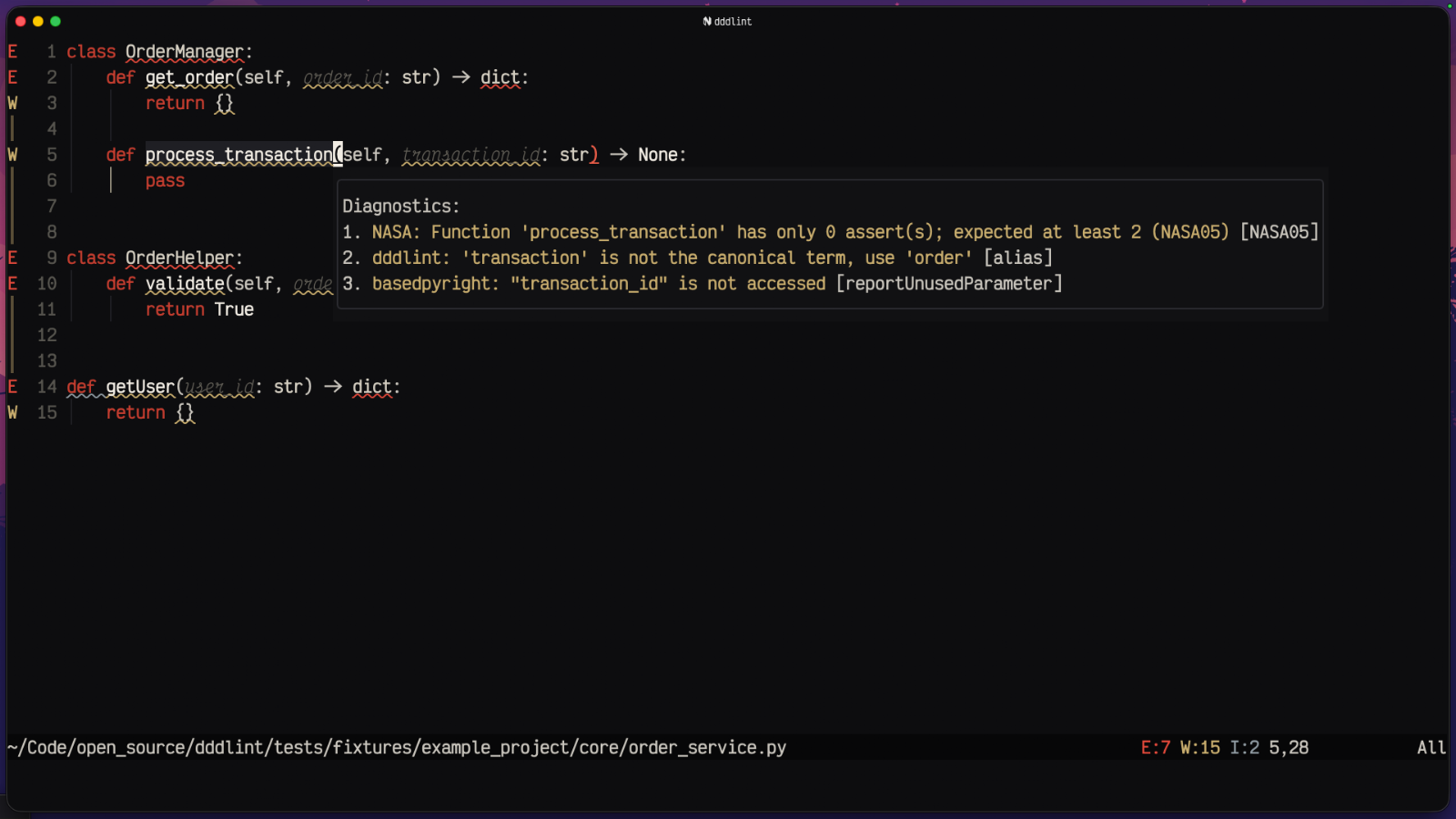
A team agrees order is the canonical term. Someone commits a
process_transaction method. dddlint flags it in CI, in a commit hook, or
right in the editor, and suggests the rename to process_order.
synonyms:
  - canonical: order
    aliases: [purchase, transaction]
forbidden: [util, helper, manager]
Beyond spelling
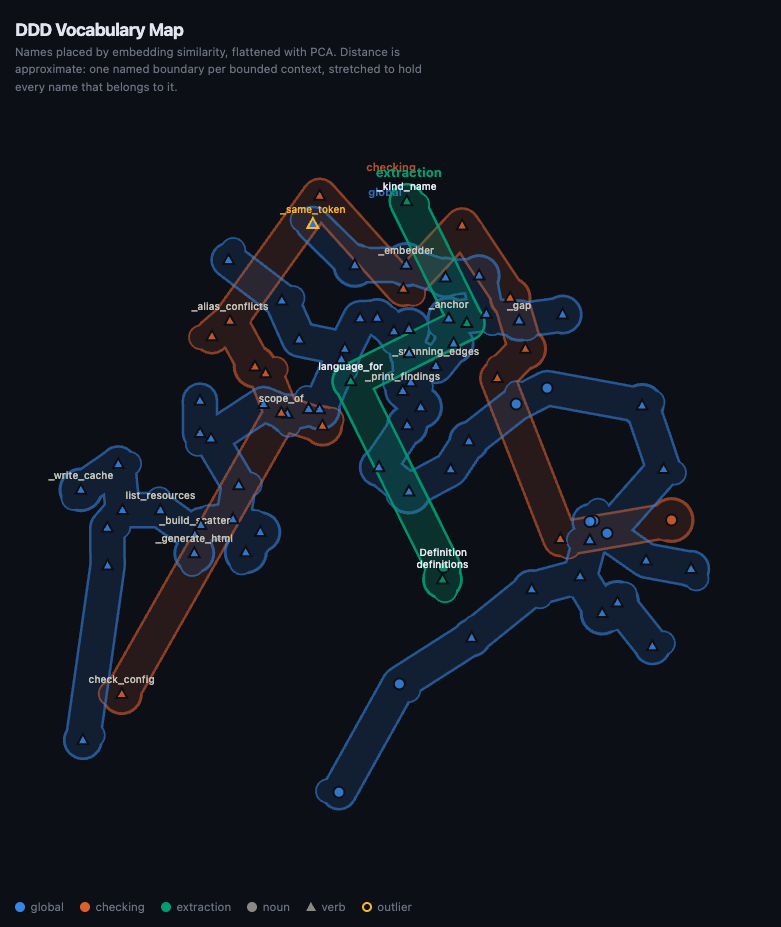
Token rules only catch the words you thought to write down. dddlint map
embeds every definition name and compares meaning instead, so
fetch_order and retrieve_purchase surface as the same idea worded twice
even though they share no token, and a name whose vocabulary belongs to
another bounded context gets flagged where it sits.
Every run also draws the whole vocabulary, one boundary per bounded context:
Where to go next
This documentation follows the Diátaxis framework.
-
:lucide-graduation-cap: Tutorial
Learning-oriented. Lint your first project from scratch.
-
:lucide-wrench: How-to guides
Task-oriented. Wire dddlint into CI, pre-commit, and your editor.
-
:lucide-book: Reference
Information-oriented. Every CLI command, config key, and rule.
-
:lucide-lightbulb: Explanation
Understanding-oriented. Why a language linter, and how it decides.